

We've made some changes to the Programs & Events section of our website.
Our new Programs & Events calendar makes it easier to explore what's happening at your Library, find programs that interest you and register for those that require it.
There are also some helpful new features, including the ability to create a personalized list of programs to print or receive by email.
Here's a guide to help you get started.
Finding Programs and Events
When you visit the new Programs & Events calendar, you'll see a list of programs happening today. Click on any program's title or image to learn more, including the date, time, location and other details.
There are two ways to browse programs:
List View
The default view shows programs in a list, starting with today's events. You can browse the listings or use the search and filter options to find something specific.
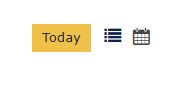
Calendar View
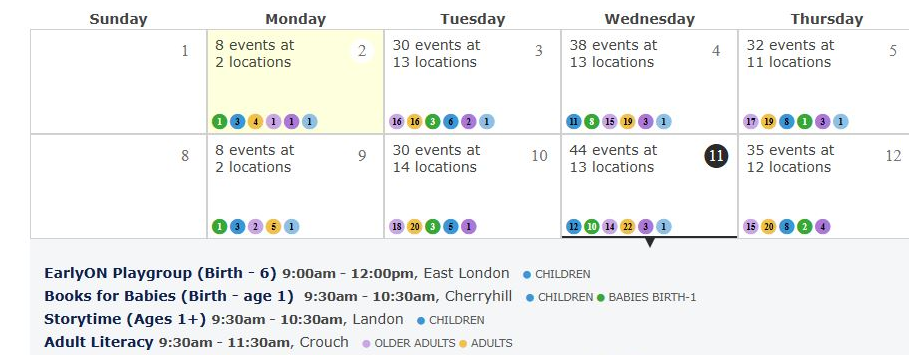
Prefer to browse by date? Click the calendar icon to the right of the yellow Today button to switch to a calendar view.
Select any date on the calendar to see the programs happening that day. You can also use the yellow
filter buttons at the top of the page to narrow your results.
Narrowing Your Search
Looking for something at your neighbourhood branch? Interested in programs for a particular age group? The new calendar gives you several ways to find what you're looking for.

If you know the name of a program, enter it in the Search for Events search bar.
You can also use the yellow filter buttons beside the search bar to narrow your results by:
- Location: Find programs at your preferred Library branch or select several branches.
- Age Group: Browse programs for a particular age group or select more than one.
- Event Type: Explore programs by general category or type of activity.
Searching by Date
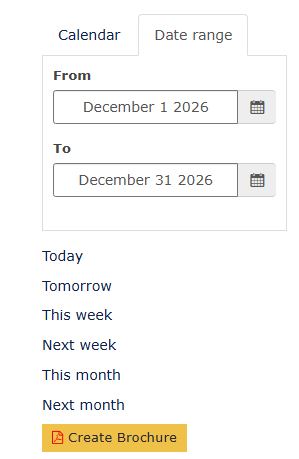
To find programs happening during a particular period, click the Date Range tab beside Calendar and select your preferred dates.
If you're using a desktop computer, you can also choose from convenient options such as Today, This Week, Next Week, This Month or Next Month.
You can combine date selections with other filters to find programs that fit your interests and schedule.
New! Create Your Own Program Brochure
Found some programs you're interested in? You can now create a personalized brochure of Library programs to print, email or receive regularly.
Start by choosing your preferred locations, age groups, event types or date range. Once you've narrowed your results, click the yellow Create Brochure button.
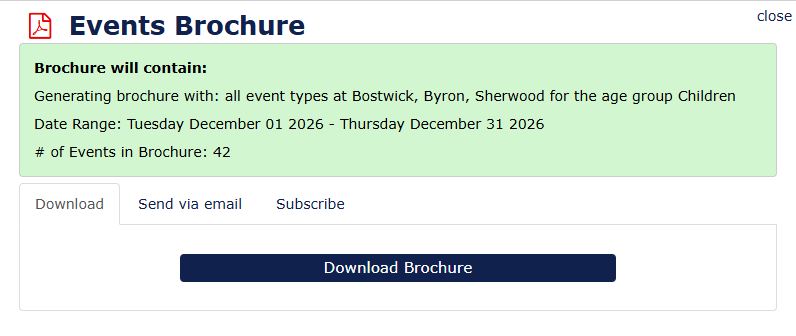
An Events Brochure pop-up will appear, giving you three options:
1. Download a Brochure
Click Download Brochure to create a formatted list of programs that you can save or print.
2. Send Your Brochure by Email
Select the Send via Email tab, enter your email address and have your list of programs sent directly to your inbox.
3. Subscribe to Regular Updates
Want to keep up with programs that interest you? Select the Subscribe tab to receive an updated list by email on a regular basis. Choose whether you'd like to receive your list daily, weekly or monthly, enter your email address, check the I agree statement and click Send.
It's a handy way to keep track of what's happening at your favourite Library locations.
Registering for Programs
Most Library programs are drop-in, so you can simply come along without registering.
For programs that do require registration, you'll see a Register button below the program listing.
Here's what the button means:
- Grey Register button: Registration isn't open yet. The date and time registration opens will be listed so you know when to check back.
- Dark blue Register button: Registration is open! Click the button to begin.
When you register, you'll have two options:
Register with your Library card
Enter your London Public Library card number to register. This option also allows you to view and manage your program registrations.
Register as a guest
Don't have your Library card handy? You can register as a guest using your email address.
Don't have an email address? You can still register. Call us at 519-661-4600 during Library hours or visit any Library location for assistance.
Once you've registered, you'll receive a confirmation email with a Reference Number. Keep this number handy, as you can use it to check, change or cancel your registration.
Please note: Some programs, including those offered with community partner organizations, use an outside registration platform. For these programs, the Register button will take you to the appropriate website to sign up.
Waitlists for Full Programs
Another helpful feature of the new system is the ability to join a waitlist when a program requiring registration is full.
If someone cancels their registration, the person at the top of the waitlist will receive a notification letting them know they are now registered.
This helps make spaces available to more people who want to participate.
Changing or Cancelling Your Registration
Plans change, and that's okay.
If you can no longer attend a program you've registered for, please take a moment to cancel your registration. This gives someone on the waitlist a chance to attend and helps Library staff plan for programs.
To manage your registrations:
- Visit the Programs & Events calendar.
- Click the My Events drop-down link at the top of the page on your desktop, or visit programs.lpl.ca/myevents on your tablet or phone.
Enter your Library Card Number or the Reference Number included in your registration confirmation email.
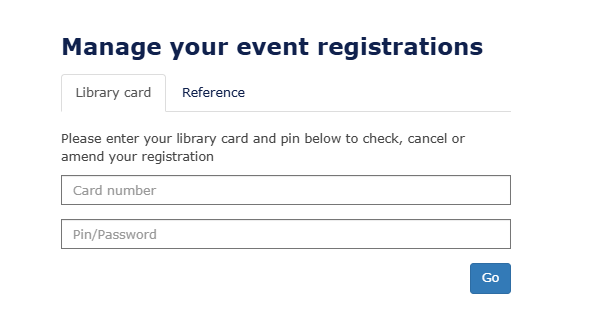
From there, you can access your registration details and make changes or cancel as needed.
Need a Hand?
We know a new system can take a little getting used to, and we're happy to help.
If you have questions about finding programs, using the new calendar or registering for an event, call us at 519-661-4600 during Library hours or ask staff at any Library location.
We hope you'll enjoy exploring the new calendar and discovering something that interests you.