

New Catalogue Account Centre Launches June 1, 2026
Starting on June 1, you will notice a new way to manage your Library account in our catalogue: your Account Centre is replacing My Bookshelf. This change is designed to make it easier to manage your Library account, including checkouts, holds, renewals, and saved items.
Once this change takes effect, please let us know if you experience any new issues using your Library account and we will follow up with our catalogue vendor to resolve. You may remember that some these changes were launched briefly in February and were quickly rolled back due to several issues that needed to be resolved. Thank you for your patience as we move forward with these improvements.
Account Centre has been rolled out to public libraries across North America in response to feedback from library patrons and staff. This redesigned account experience allows you to manage your Library checkouts, holds, renewals, and saved materials in one full-page view.
What’s Changing
Instead of using the My Bookshelf bar that appeared at the bottom of the screen, patrons will now click the account icon at the top of the page to log in to their account.
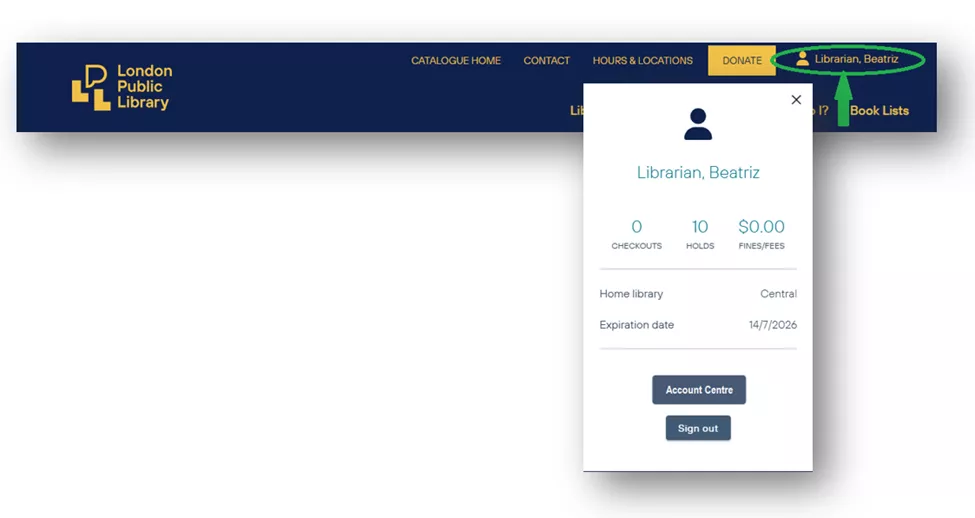
Use the account icon to open your Account Centre where you will now manage everything in one place.
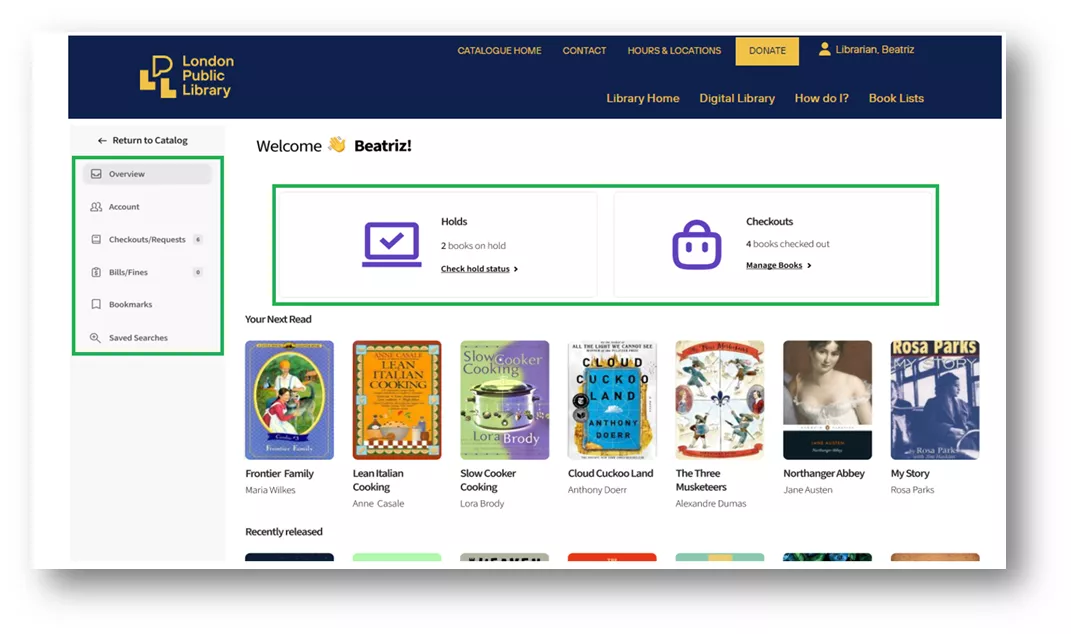
When you open the Account Centre, you will see:
- A snapshot of your current holds and Checkouts at the top right of the page
- A menu along the left side that lets you move easily between sections, including:
- Account Settings (your contact and profile information)
- Checkouts & Holds
- Charges (replacement charges for lost items, if applicable, as late fines are no longer charged)
- Bookmarks
- Saved Searches
This layout is designed to help you find what you need more quickly and see more information at once.
Improved Holds and Checkouts View
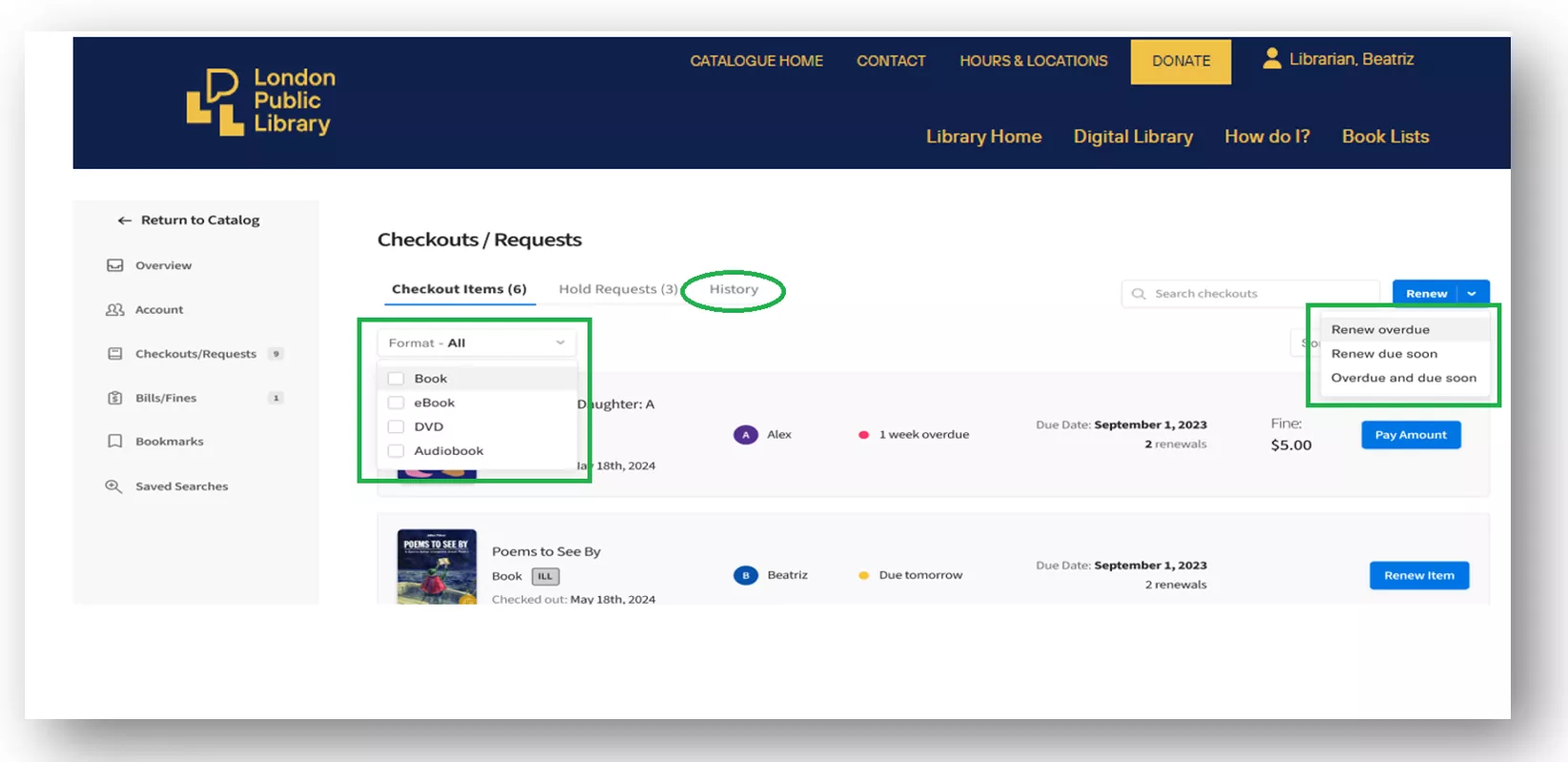
The updated Checkouts and Holds view is designed to make it easier to manage your items. You can:
- See more items on screen at one time
- Filter items by format
- Use new renewal options, including:
- Renew overdue
- Renew due soon
- Renew overdue and due soon
These options are meant to save time and make renewals simpler.
Easier Access While You Browse
You will also notice a few changes while searching the catalogue:
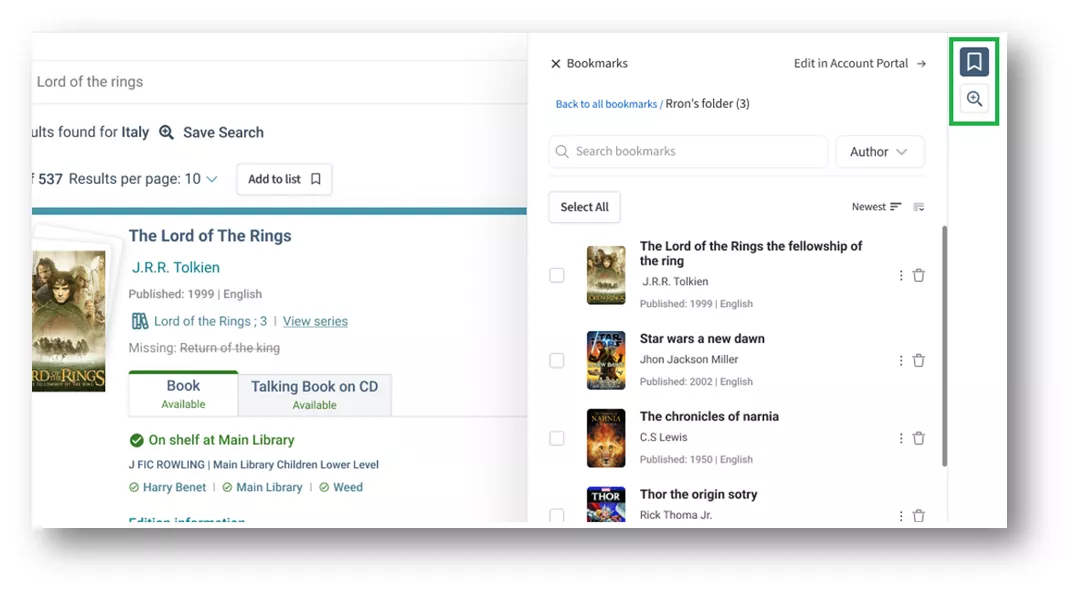
- Bookmarks and Saved Searches are now available along the right side of search pages, so they are easy to reach while you browse
- An improved sidebar view makes it easier to add items to lists and manage saved items as you go
If you have chosen to enable Reading History, it will also be accessible directly from the Account Centre.
Online Fine Payment Now Available
You are now able to pay replacement charges online when signed in to your account in the catalogue.
Look for the Charges tab, which is where you will see a list of any applicable charges.
Here you can select individual charges or pay all charges.
Once you click to pay, you will be sent to an online PayPal form for payment online.
Remember, London Public Library no longer charges late fines when you return your items. Learn more here.
If you have questions or experience issues using the new Account Centre once it launches, please email info@lpl.ca or call 519-661-4600.